
How to Safely Create a Full Disk Image Before Attempting Data Recovery
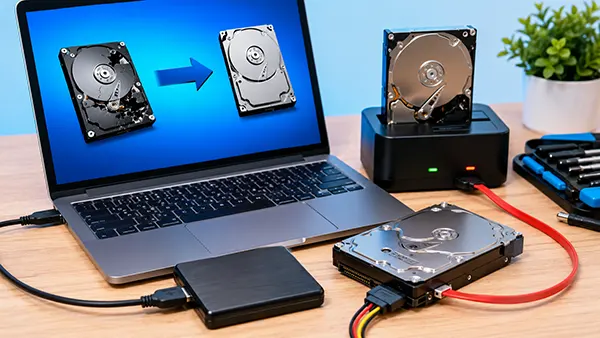
When important files disappear due to accidental deletion, hardware failure, file system corruption, or malware activity, the first reaction is often to start recovery software immediately. In many situations, this approach can reduce the chances of successful recovery because every additional write operation may overwrite data that is still recoverable. Professional data recovery specialists therefore recommend creating a complete disk image before performing any recovery procedures. A disk image preserves the current state of the storage device and allows recovery attempts to be performed on a copy rather than the original medium, significantly reducing the risk of permanent data loss.
Why Creating a Disk Image Is the First Step in Data Recovery
A full disk image is an exact sector-by-sector copy of a storage device. Unlike a standard file backup, a disk image includes active files, deleted data remnants, partition information, file system structures, boot records, and unused storage sectors. This level of detail is essential when recovering lost information.
Modern recovery tools can analyse a disk image exactly as they would analyse the original drive. By working with the image, users avoid placing additional stress on failing hardware. This is particularly important for ageing hard drives that may contain damaged sectors or mechanical issues.
Another advantage is repeatability. If a recovery attempt fails or produces incomplete results, the original image remains unchanged. Multiple recovery methods can be tested on the same image without risking further deterioration of the source device.
Situations Where a Disk Image Is Essential
A disk image should always be created when a drive shows signs of physical failure. Symptoms may include unusual clicking sounds, slow response times, frequent read errors, or operating system warnings about disk health. Continuing to use such a drive without imaging may accelerate its failure.
Imaging is also recommended after accidental formatting or partition deletion. In these cases, the lost data often remains physically present on the device until new information overwrites the affected sectors. Creating an image preserves the current state before any recovery operations begin.
Cybersecurity incidents provide another reason to image a drive. If ransomware, malware, or unauthorised access has affected a system, investigators and recovery specialists frequently rely on disk images to analyse the incident while maintaining the integrity of the original evidence.
Preparing Hardware and Software for Safe Imaging
Before creating a disk image, it is important to select a suitable destination device. The target storage should have enough free capacity to store the complete image. As a general rule, the destination drive should offer capacity equal to or larger than the source drive being copied.
Users should also minimise activity on the affected storage device. If possible, shut down the system immediately after discovering data loss. Continuing to browse files, install software, or save documents increases the risk of overwriting recoverable information.
Several professional tools are commonly used for disk imaging in 2026. Open-source utilities such as Clonezilla and GNU ddrescue remain widely trusted. Commercial applications including R-Studio, UFS Explorer, and Macrium Reflect provide additional features such as error handling, verification functions, and user-friendly interfaces.
Best Practices During the Imaging Process
The imaging operation should be performed in read-only mode whenever possible. This prevents accidental modifications to the source drive and ensures that the captured image accurately reflects the original state of the storage medium.
For drives containing bad sectors, specialised tools with advanced error recovery capabilities should be used. Utilities such as GNU ddrescue can skip problematic sectors, continue copying healthy areas, and revisit unreadable regions later, maximising the amount of data preserved.
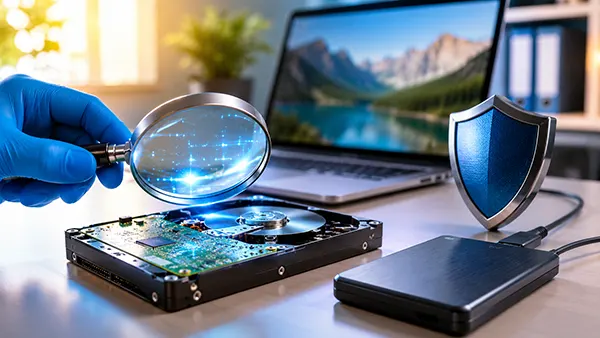
Verification is equally important. After the image is created, many professional applications calculate checksums such as SHA-256 or MD5. Comparing these values helps confirm that the image was created correctly and has not been altered during storage or transfer.
Common Mistakes That Can Reduce Recovery Success
One of the most common mistakes is installing recovery software directly onto the affected drive. Even a small installation can overwrite deleted files and significantly reduce the likelihood of successful recovery. Recovery tools should always be installed on a separate storage device.
Another error involves creating partial backups instead of a full disk image. Copying visible folders may seem sufficient, but deleted files, lost partitions, and damaged file system structures are often located outside accessible directories and would therefore not be preserved.
Many users also underestimate the importance of storage integrity after imaging. Disk image files should be stored on reliable hardware and, when possible, duplicated to a second location. This provides additional protection against corruption or accidental deletion.
How Professionals Handle Disk Imaging in 2026
Professional recovery laboratories increasingly use hardware write blockers that physically prevent modifications to source drives. These devices are widely employed in forensic investigations and high-value recovery projects where data integrity is critical.
Advanced imaging systems now incorporate intelligent sector analysis, allowing technicians to prioritise unstable areas of a drive before they become unreadable. This approach improves recovery outcomes when working with failing hardware.
The most effective recovery strategy remains unchanged: stop using the affected device, create a verified full disk image, and perform all recovery procedures on the copied image rather than the original drive. This method provides the highest level of protection for valuable data while preserving future recovery options if additional analysis becomes necessary.