Data Recovery After Physical Drive Damage: When DIY Helps and When Experts Are Essential
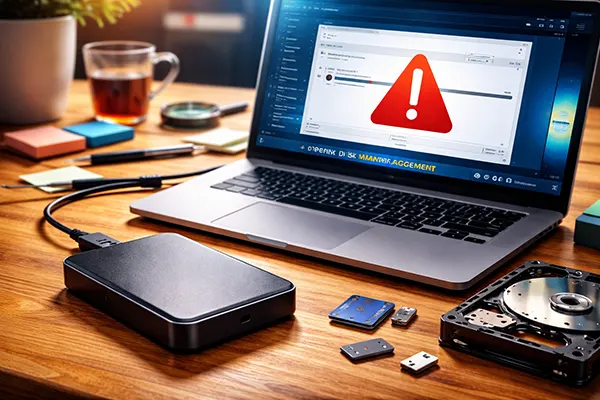
Physical damage to a storage device often results in sudden data loss, system instability and unreadable sectors that prevent normal access to files. Understanding the nature of the damage and the risks associated with attempting repairs yourself is crucial for making the right decision. Some cases allow safe home-level diagnostics, while others require specialist intervention to prevent irreversible data loss.
Recognising the Types of Physical Damage
Physical damage can affect hard drives, SSDs and external storage in different ways, ranging from mechanical wear to electrical faults. Common issues include broken connectors, liquid exposure, impact damage and overheating, all of which influence the likelihood of successful recovery. Each type of failure shows its own symptoms, helping determine whether the device still responds to basic commands or has stopped functioning entirely.
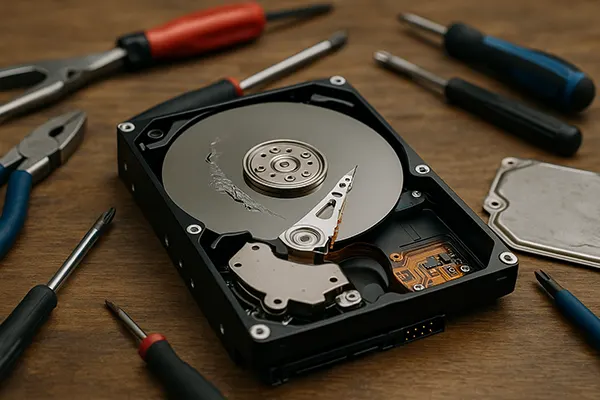
Mechanical damage, such as head crashes or platter scratches in HDDs, is especially dangerous because continued use can worsen the condition. Attempting to power the drive repeatedly may deepen surface damage, making professional restoration far more complex. SSDs behave differently, but their controllers and memory chips can also suffer from heat or voltage fluctuations, compromising access to stored blocks of data.
Electrical problems can be deceptive, as the device may appear completely lifeless while the internal memory modules remain intact. A blown controller or short circuit often requires controlled laboratory tools for safe micro-soldering. Diagnosing these issues without suitable equipment is risky, which is why identifying early warning signs helps avoid additional harm.
Early Warning Signs of Irreversible Damage
Unusual noises such as clicking, grinding or repetitive spinning indicate internal mechanical failure typical of HDDs. These sounds signal that internal components cannot perform normal operations, making home-level recovery unsafe. Continuing to test the device in this condition can cause further physical degradation.
Complete absence of activity, frequent system freezes or sudden dismounting of the drive suggest electrical or firmware-related issues. These faults may still allow recovery, but only with hardware-based imaging tools capable of bypassing damaged circuitry. Attempting repeated reconnections at home may worsen the defect, especially in SSDs with sensitive voltage regulators.
Visible deformation, cracked casings or signs of moisture imply contamination of the internal chamber or corrosion of micro-components. These cases require controlled clean-room conditions to avoid particle damage or static discharge. Any DIY attempt in such circumstances drastically reduces the likelihood of retrieving intact data.
When DIY Recovery Attempts Are Reasonably Safe
Home diagnostics can be useful when the storage device shows only minor external issues without internal faults. Examples include slightly bent USB connectors, loose cables, or minor oxidation that can be cleaned properly. In such situations, reading the drive using a reliable interface may provide enough access to copy essential files without placing the device at high risk.
Software-based recovery is acceptable only when the device remains fully detectable at the system level. Tools designed for logical recovery can help extract accidentally deleted files or restore damaged file system structures. However, these programs must never be used on hardware showing physical symptoms, because scanning operations place additional workload on already unstable components.
Before attempting any DIY recovery, creating a sector-by-sector image is a safer method whenever the device still reads. This approach ensures that further operations occur on a clone rather than the failing drive itself. If imaging is impossible, or if the device repeatedly disconnects, any further attempts should be stopped immediately to prevent worsening the damage.
Simple DIY Steps That Minimise Risk
Checking power supply stability, changing cables and testing the drive on another computer can help rule out external factors. These basic steps often resolve intermittent recognition issues without affecting the internal mechanisms. Ensuring proper ESD protection when handling the device also prevents accidental damage.
Cleaning mildly oxidised contacts with appropriate tools may restore proper connectivity in some external drives. However, only non-abrasive methods should be used, as scraping can remove protective layers and cause long-term deterioration. If corrosion is advanced, further attempts should be avoided.
If the device still mounts intermittently, the only safe approach is to copy essential data immediately in order of priority. Avoid any software that performs deep scans or repairs, as such tools generate heavy workloads and can accelerate failure. Once copying becomes impossible, turning off the device prevents additional harm.
When Professional Recovery Is the Only Safe Option
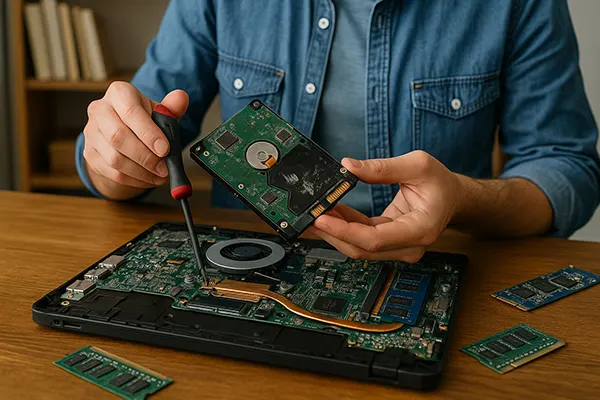
Expert laboratories provide controlled clean-room environments, specialised imaging equipment and micro-soldering workstations required for dealing with serious physical faults. These procedures are essential for head replacement, platter alignment or NAND chip readout in SSDs. Attempting such operations without proper tools leads to irreversible damage.
Professionals can handle firmware corruption, controller damage and complex electrical failures that remain invisible during basic home diagnostics. Their equipment allows direct access to memory chips while bypassing damaged components, significantly increasing the chances of recovering data. This is especially important for modern SSDs with sophisticated controller-level encryption and wear-levelling algorithms.
Recovery experts also offer precise evaluation, helping estimate data salvageability before performing any invasive procedures. This prevents unnecessary risks and ensures that each action is taken with a clear understanding of the device’s condition. Their experience and tools allow them to work safely with sensitive components, ensuring that the data remains as intact as possible.
How Specialists Improve Recovery Success Rates
Professionals use forensic-grade imaging techniques that read failing drives at extremely low speeds, reducing internal stress. This allows access to sectors that would otherwise remain unreachable, especially on drives with severe mechanical faults. Controlled approaches prevent additional scratches or head misalignment.
Clean-room conditions eliminate dust particles that can instantly destroy HDD platters if opened in a regular environment. The precision equipment ensures correct alignment, head positioning and contamination-free operation. Without such conditions, even a small dust particle may block the heads or produce surface damage.
For SSDs, specialists use direct NAND extraction when controllers fail. This method requires advanced tools to interpret raw memory structures and reconstruct logical data. Such operations are impossible outside professional facilities due to the complexity of modern storage architecture.